
Living with Starlink Residential on a rural Northern California hilltop. We walk through the setup experience, real-world speeds, the 2026 pricing changes, and who this service actually makes sense for.
If you live in the country, you already know the internet struggle. We’re on a hilltop outside a small Northern California city, about five acres with chickens, goats, the whole thing. For years our options were slow DSL that barely streamed one show at a time, or the old satellite providers with their data caps and sky high latency. When Starlink first showed up on the scene, we watched from a distance like everyone else. Eventually we decided to find out for ourselves if it was the real deal.
We’ve been running the Residential service since 2024, when we first wrote this up in 2025 the price was lower and only one option. New 2026 pricing changes are big enough that it’s worth a fresh look, so here’s what our experience has actually been like, including where the new tiers left us.
What You Actually Get
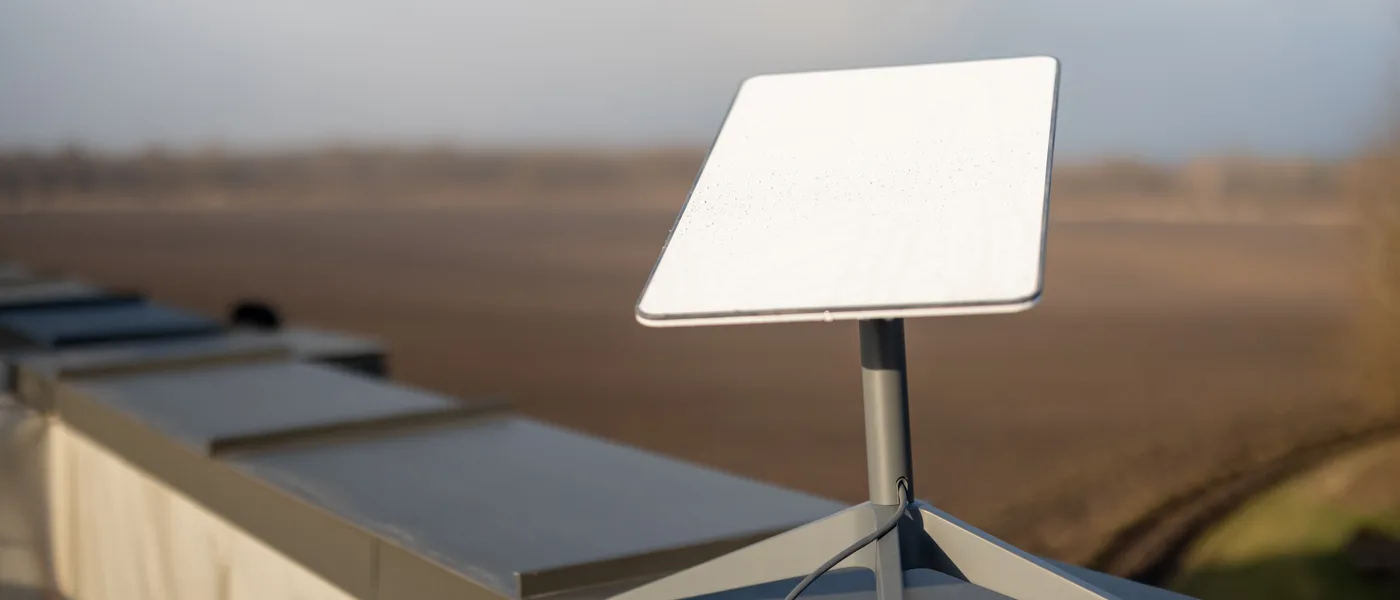
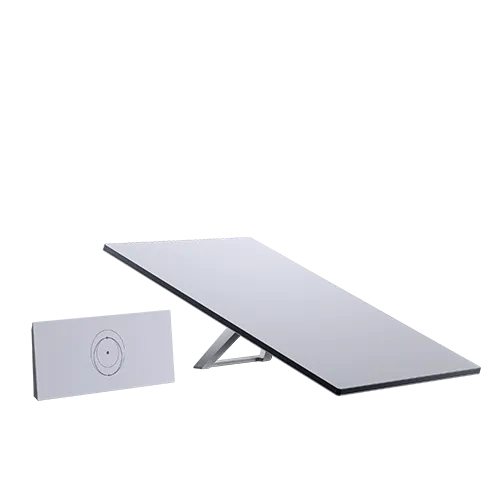
The Starlink kit shows up in a box that’s heavier than you’d expect. Inside is the phased-array dish (they call it the antenna, but it’s a flat panel), a 75 foot cable, and a Wi-Fi router that looks like something from a modern art museum. The dish is surprisingly sturdy, like a piece of gear that’s meant to handle weather. It tilts and rotates automatically when it powers up, which is still kind of wild to watch after all this time.
You have a couple of options on how to get set up now. They offer either buying the hardware outright or renting it month to month at a reasonable rate. When we first got it you had to buy it. Renting can make sense for many since it lowers the barrier to entry, and if anything goes wrong with the dish, they handle the replacement.
Getting It Going
This is where Starlink really shines. The app walks you through the whole process. You plug in the dish, open the app, and it shows you where to place it for the best view of the sky using augmented reality. It literally scans the sky through your phone’s camera and tells you if a tree branch is going to cause problems.
We mounted ours on our deck. The app guided us through aiming it, and once the dish found the satellites, we had internet within about 15 minutes of opening the box.
The cable runs through a small grommet we installed next to a window frame. We had to extend it with the 150 foot cable option since our router sits in the living room and the dish needed to clear the treeline. That’s worth planning for if your ideal dish spot is far from where you want the router.
How Fast Is It Day to Day
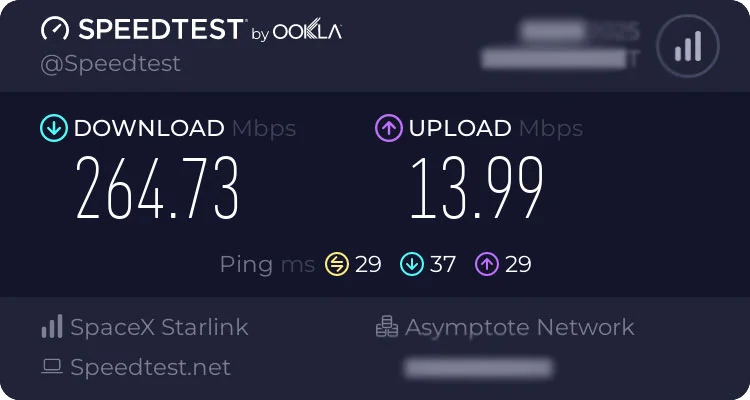
For daily use, Starlink is genuinely fast enough for everything our household throws at it. Streaming in 4K, video calls for work, my daughter’s online school stuff, even the occasional gaming session on the Xbox. The latency hovers around 20 to 40 milliseconds for most activities. That’s a night and day difference from the 600ms we used to get with the old satellite service.
Actual download speeds vary by plan tier and time of day. The base Residential plan delivers speeds that easily outpace what DSL or traditional satellite can manage. We regularly see numbers that keep the whole household running without anyone complaining about buffering. The faster tier is there for households that need more and it delivers noticeably higher speeds when you need them.
The big change for 2026 is the pricing. Residential used to be one flat rate. We signed on at $110 a month back in 2024, and we’ve since moved up to the MAX tier at $130. We chew through data with zero issues, so the top tier works hard for us. Starlink now splits Residential into three tiers instead of one flat price, and the entry point is cheaper than the old rate ever was. The details and what they mean are below, but the short version is more choice and a lower starting price, with the fastest tier costing more.
One thing worth noting is that the Residential plan comes with unlimited data. There are no caps, no throttling after a certain usage amount, no counting gigabytes. That matters a lot when you’re replacing a traditional satellite plan that had a 50GB cap and slowed to a crawl after that.
Where It Gets Tricky
Starlink is not magic, and it’s worth knowing where it falls short before you commit.
The biggest requirement is a clear view of the sky, specifically the northern sky (in the northern hemisphere). Our hilltop is mostly clear, but we have a couple of tall oaks on the north side that cause brief interruptions throughout the day. The app calls these “obstructions” and it shows you exactly when and how often they happen. For us it’s minor, maybe a few seconds of buffering a few times a day. If you’re surrounded by tall trees, you’re going to have a harder time.
Peak hour slowdowns are real. Between about 7pm and 10pm, when everyone in your cell is streaming and gaming, speeds drop. It’s still usable, but you notice it. Downloads that flew at 3pm might take noticeably longer in the evening. That’s just how Starlink works, sharing bandwidth across everyone in your cell. SpaceX has been adding capacity steadily, so it gets better over time, but it’s not going away entirely.
Weather can also be a factor. Heavy rain or snow between the dish and the satellite can cause brief dropouts. We’ve had a couple of serious storms where the connection got choppy for a while. It always came back, but if you work from home and need absolutely rock solid uptime, you’d want a backup connection, ideally something like a cellular hotspot for those worst case moments.
Updated for 2026: what changed (and what didn’t)
We first published this review in late 2025. Here’s where things actually landed after the 2026 changes, because the pricing is the part that matters most.
Residential is no longer a single flat rate. It’s three tiers now:
- $55 a month gets you around 100 Mbps
- $85 a month gets roughly 200 Mbps
- $130 a month is the MAX plan, with speeds up to 400+ Mbps
The entry tier comes in cheaper than the old flat rate, so more households can get in the door. The top end costs more than the old single price did, so if you want MAX you’re paying for it. We’re on MAX at $130 and it’s been rock solid for us.
The hardware model changed too. Instead of buying the dish for $349, Starlink now offers a rental at $10 a month with nothing down, though it’s rolling out in select markets first. We took the rental route and it lowered the barrier to entry, and if the dish ever dies they handle the swap. No major contract or congestion-policy shifts came with the tiering, which is a relief.
Roam, the plan for RVs and travel, went from $165 to $175 a month for unlimited, and they added data-capped options at $55 for 100GB and $80 for 300GB. If you’re parked for a season versus constantly moving, there’s finally a tier that fits how you actually travel.
Performance held up. The MAX plan does hit 400+ Mbps in good conditions, which lines up with what we see at home, and the setup, latency, and unlimited-data claims from our original writeup are still true.
One honest downside worth calling out: the pricing isn’t settled. It keeps moving year to year, and that makes it hard to budget against. The tiers give more choice, but they also mean you’re re-deciding what you’ll pay every time Starlink tweaks the plans. That’s the tradeoff with a service this young, and it’s the one thing we wish would just hold still.
One thing that hasn’t changed enough is customer support. Wait times during high demand periods can be frustrating. The community forums and Reddit are actually more helpful for troubleshooting common issues than official support, which tells you something. That’s a weak point we hope keeps improving.
How It Fits Into a Rural Household
For our setup, Starlink has been genuinely transformative. We went from not being able to stream a movie and do a video call at the same time to having the whole household online without thinking about it. The chickens don’t care about our internet speed, but the rest of us really do.
If you’re on slow DSL or capped satellite and you check the map and find Starlink is available in your area with a clear view, it’s a no brainer upgrade. The difference in daily quality of life is significant. If you already have decent cable or fiber, Starlink is not going to be better or cheaper. Its whole purpose is the places those options don’t reach.
The app has a really useful feature where you can check your address for expected service quality before you order anything. It’ll tell you if there are obstructions, what kind of speeds to expect, and whether the service is even available in your area. That’s the first step for anyone curious.
Bottom Line
Starlink Residential is not perfect, but it’s the best option for rural internet that a lot of us have ever had. The setup is genuinely simple, the speeds are good enough for modern household use, and while the 2026 tiers lowered the entry price, the top tier costs more and the rates keep shifting, which is the one catch. It needs a clear sky view, peak hour slowdowns are a thing, and support could be better, but for anyone stuck with bad rural internet, this is the real alternative we’ve been waiting for.